 Spell Beasts
Teacher sign in
Spell Beasts
Teacher sign in
Teacher guide · 4 of 13
How children sign in
Children never have passwords or accounts. Choose the way that suits your class, then print their login cards.
Choose how they sign in
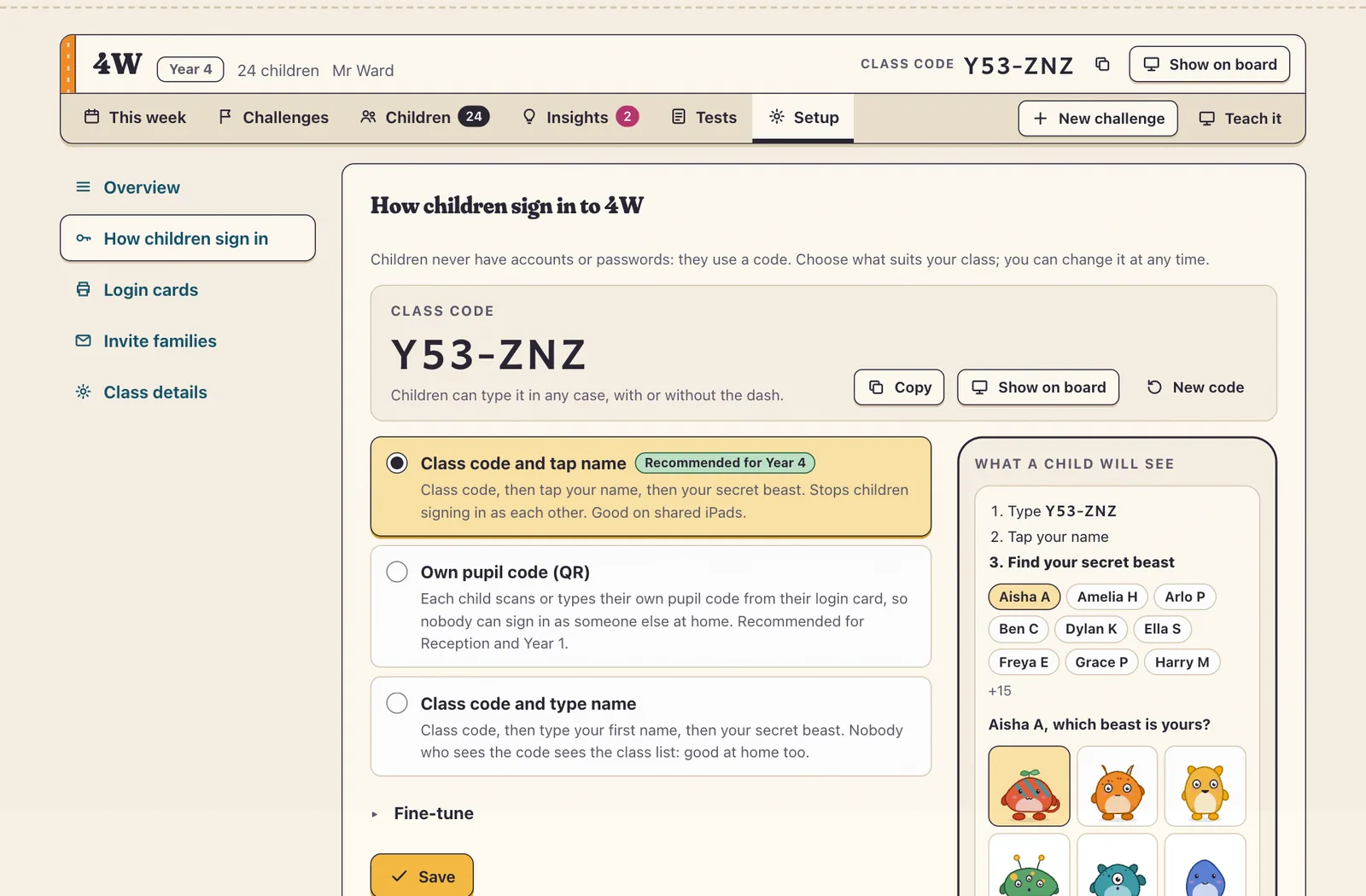
Open Setup › How children sign in. There are three ways:
- Class code and tap name: children type the class code, tap their name, then their secret beast. Recommended for Year 4 and up; good on shared iPads.
- Own pupil code: each child has a code (or QR code) that signs them straight in. Recommended for Reception and Year 1, and for home.
- Class code and type name: children type their first name instead of tapping it.
Login cards
In Setup › Login cards, choose everyone or one group, 8 or 10 cards to an A4 page, and press Print. Each card has the child’s name, class code, secret beast and, if you use them, their own pupil code and QR code.
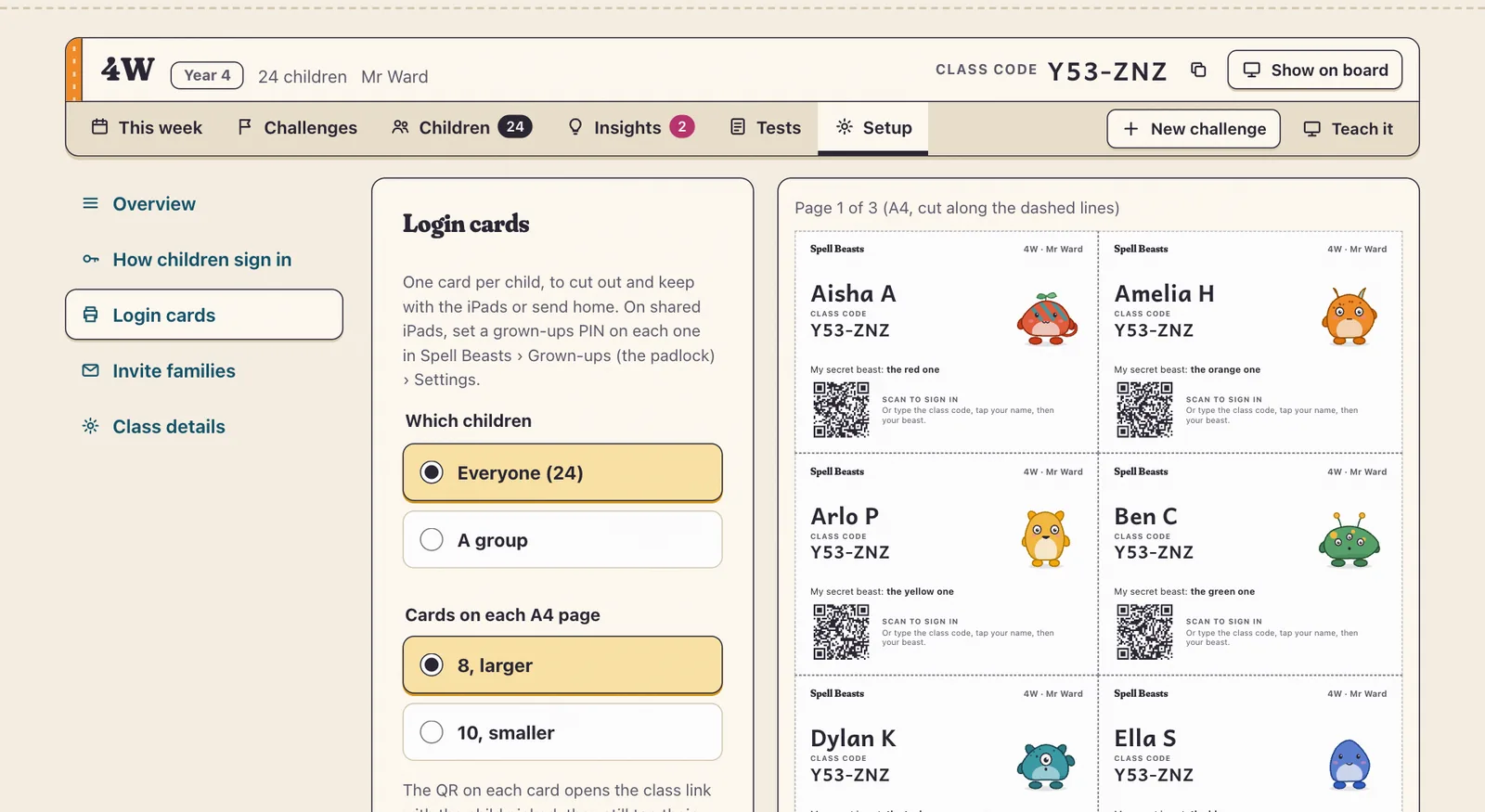
Tip On shared iPads, set a grown-ups PIN in Spell Beasts › Grown-ups (the padlock) › Settings, so children can’t open each other’s settings.
If a child forgets
From a child’s page you can reprint their card or give them a new secret beast. If too many wrong beasts are tried, that child waits a few minutes before trying again, so nobody can guess their way into someone else’s practice.