 Spell Beasts
Teacher sign in
Spell Beasts
Teacher sign in
Teacher guide · 6 of 13
Choosing words
Every National Curriculum statutory word and 90 spelling-pattern lists are ready to set. You can add your own topic words too.
Statutory lists and spelling patterns
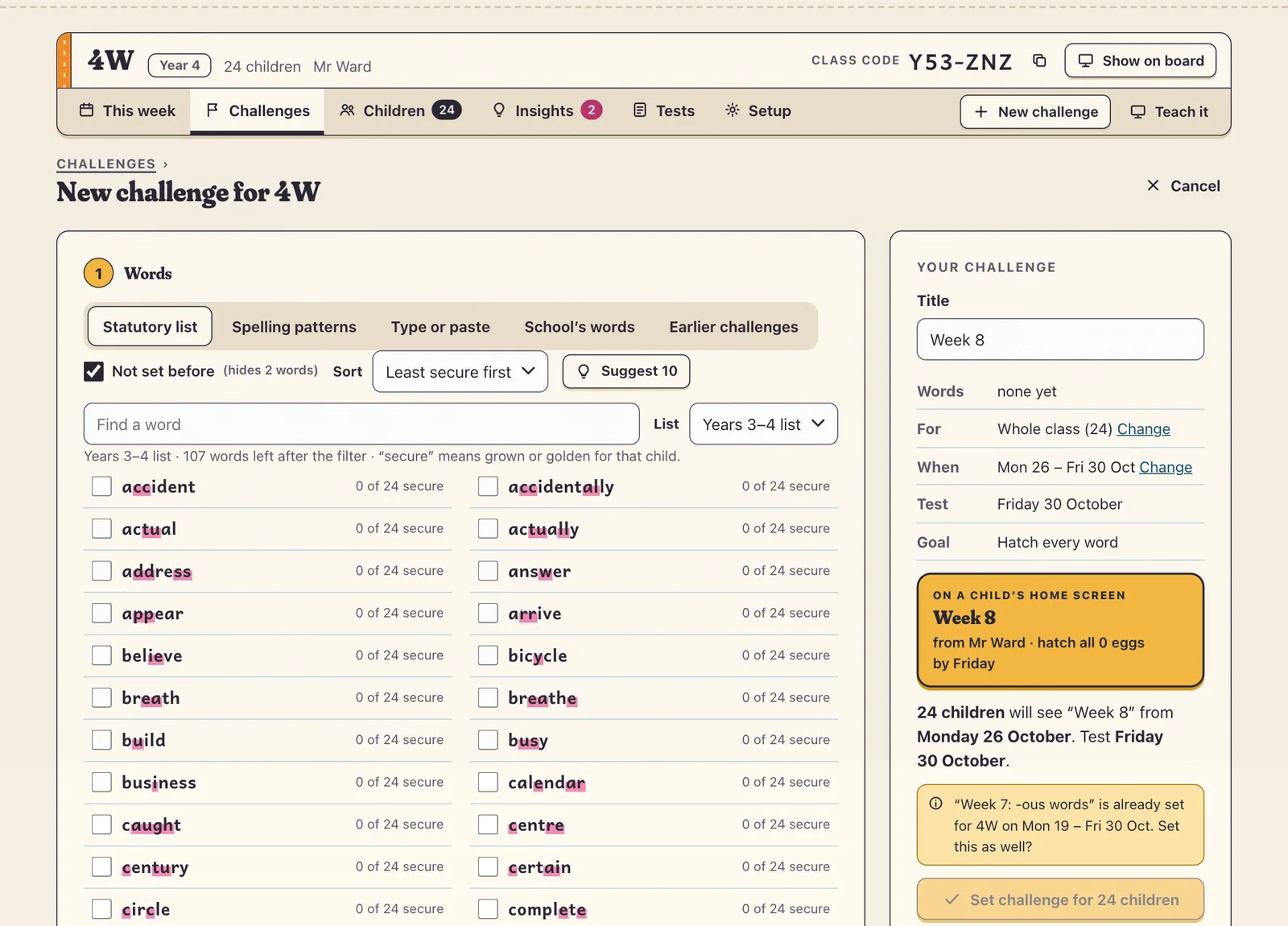
In New challenge, choose words from the Statutory list for your year group or from Spelling patterns (prefixes, suffixes, homophones and more). Each word shows how many children have it secure; tick Not set before to hide words you’ve already set this year.
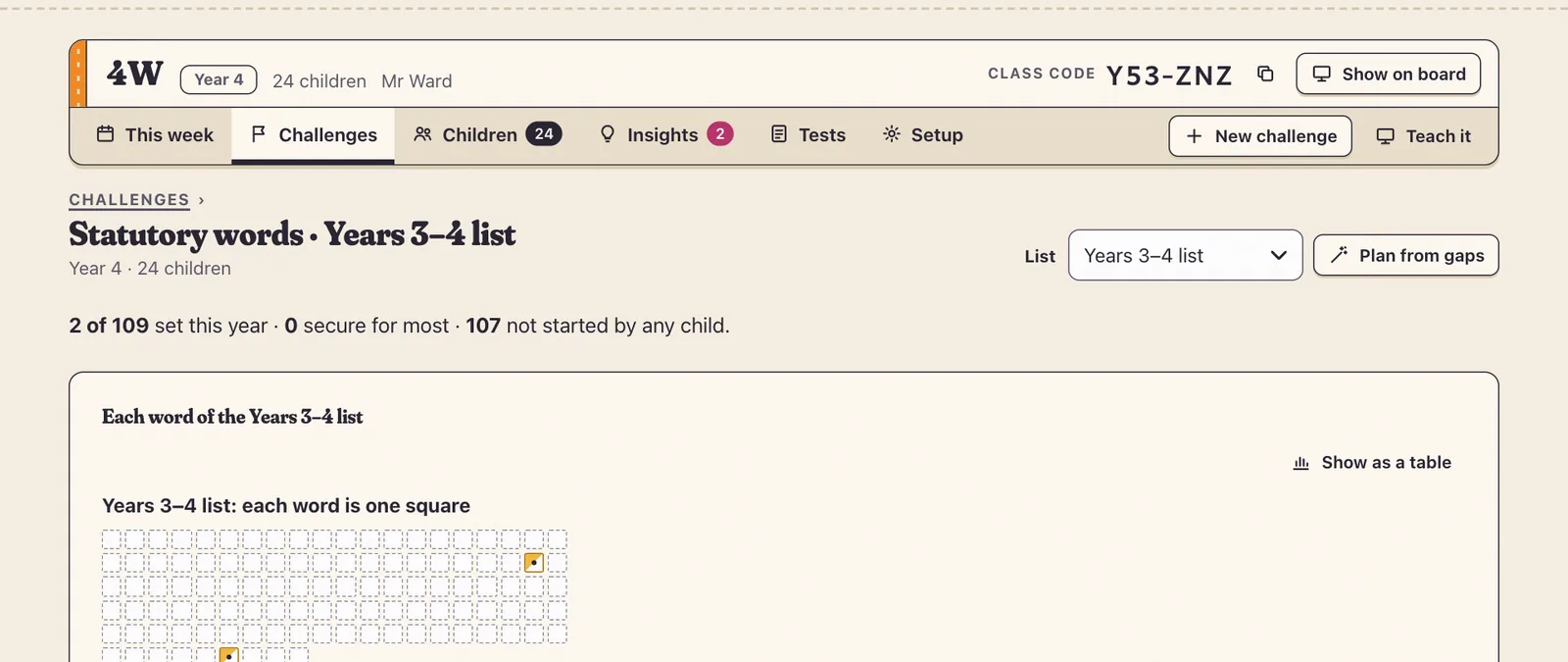
Coverage shows how much of the statutory list each class has covered, and Plan from gaps starts a challenge with the words not yet taught.
Your own words
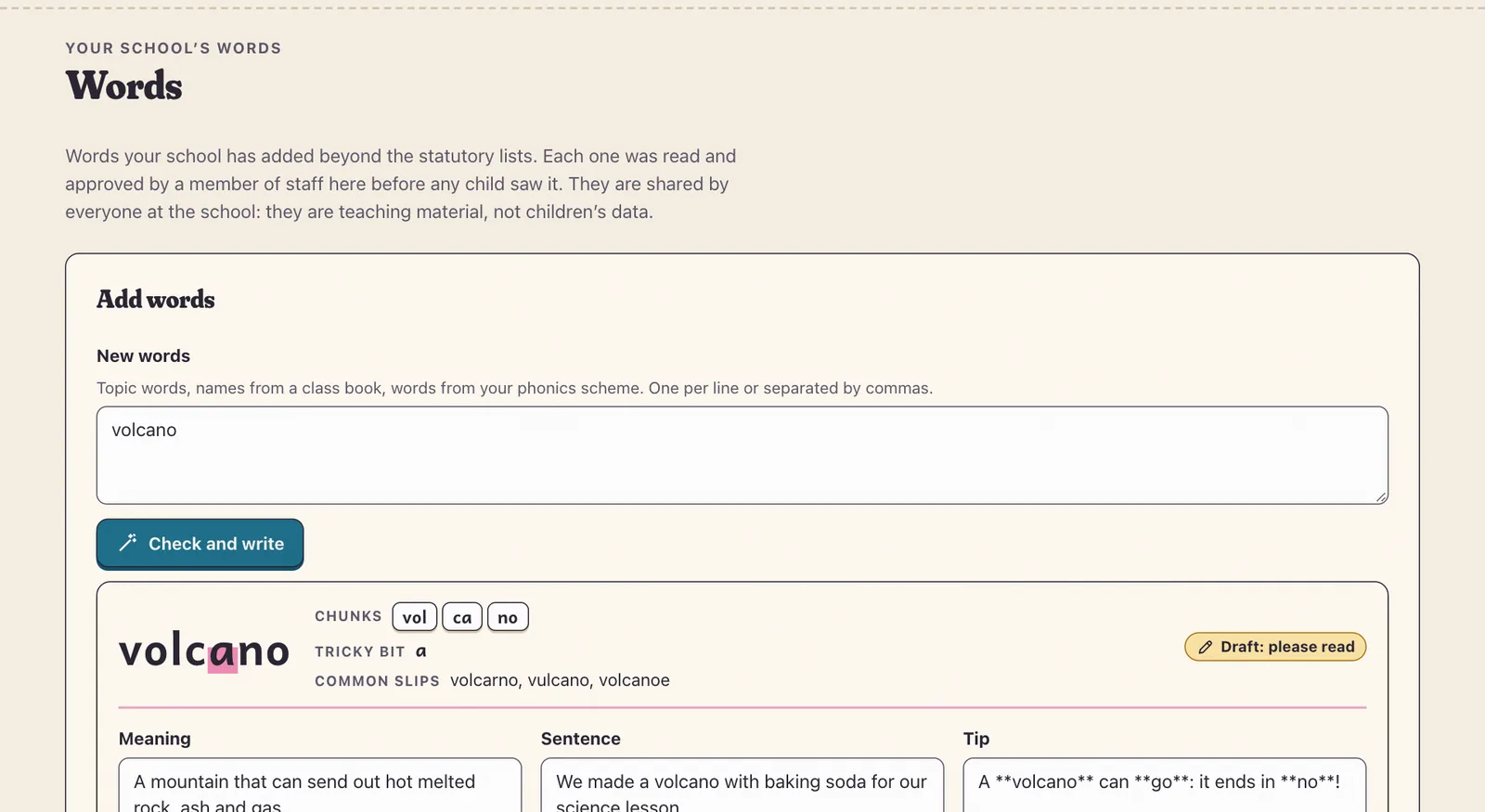
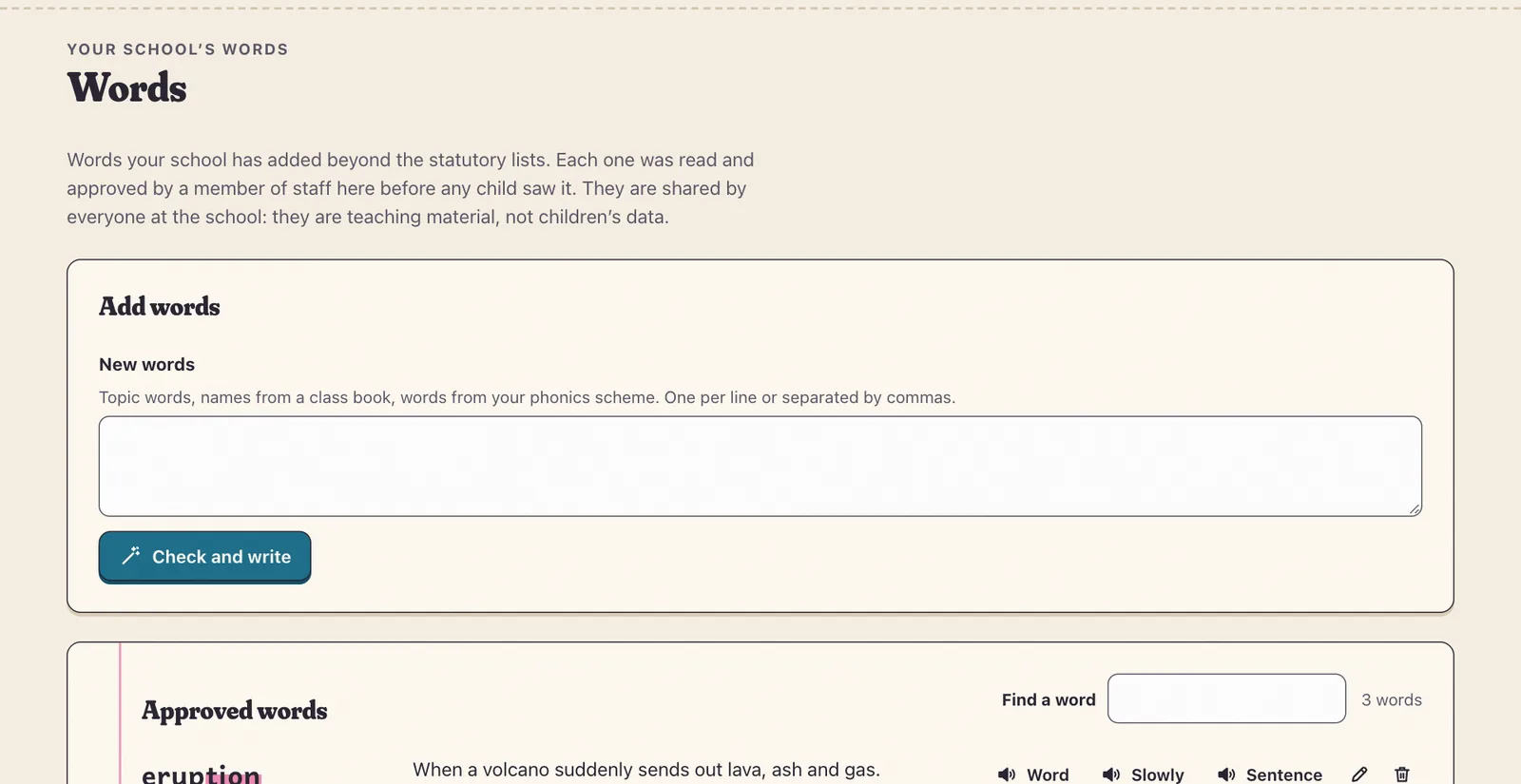
Type or paste your words: topic words, names from a class book, words from your phonics scheme.
For a word Spell Beasts doesn’t have yet, our AI helper drafts a meaning, a sentence, a tip and the tricky part.
Read the card, change anything you like, and press Approve. Only then is the word recorded in Lily’s voice and shown to children.
Tip If a word looks misspelt (say ‘errror’), Spell Beasts asks “Did you mean ‘error’?” instead of writing it up. Keep your spelling if it’s a name or a made-up word.
Approved words appear on the Words page and in the School’s words tab, for everyone at your school. Words from the statutory lists, and words your school has already approved, never count towards your monthly allowance.
Tip Every name and word is checked against a safeguarding filter, and nothing the AI writes reaches a child until a teacher approves it.